What's New in Squeezed: Tabbed Reports, Frontier Research Models, and a Smarter Reliability Score
Your Squeezed Buyer Guide just got reorganized. It's split into tabs instead of one long scroll, every report now runs on a frontier-tier research model, and the reliability score adjusts for older, higher-mileage cars. Here's everything that changed, plus what's coming next.
 Mirko6 min read

On this page8 sections
The Squeezed Buyer Guide changed a lot over the past six weeks. Some of it you'll notice the second you open a report. Some of it is quieter: a smarter reliability score, a stronger research model running on every guide, a checklist built for standing in someone's driveway. Here's the full list.
A report built around what you're deciding, not a long scroll
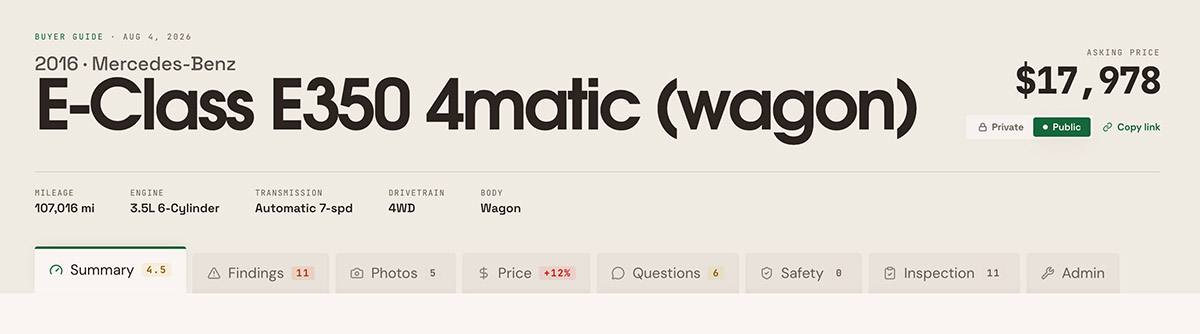
The report is now organized into tabs: Summary, Findings, Price, Questions, Safety, and Inspection, plus a Photos tab when photos are attached. Each tab carries its own badge, so you can see that Findings has two critical issues before you even open it, or that Safety shows three open recalls.
Open a shared link and it still lands on the right tab. Send a friend the Price tab of a guide, and that's what loads for them, not the top of the page.
Every guide now runs on a stronger research model
Every Buyer Guide is written by a large research model that reads your car's exact specs and researches what tends to go wrong with it. Which model does that work matters. A weaker model hedges and generalizes. A stronger one catches the specific failure pattern for your trim, your engine, your mileage band.
Every report now runs on our best available research model. That's true for your first report and your fiftieth, not a feature held back for some future paid tier. And it's faster, not slower: a guide that used to take two to five minutes now finishes in about a minute.
A reliability score that adjusts for the car's age
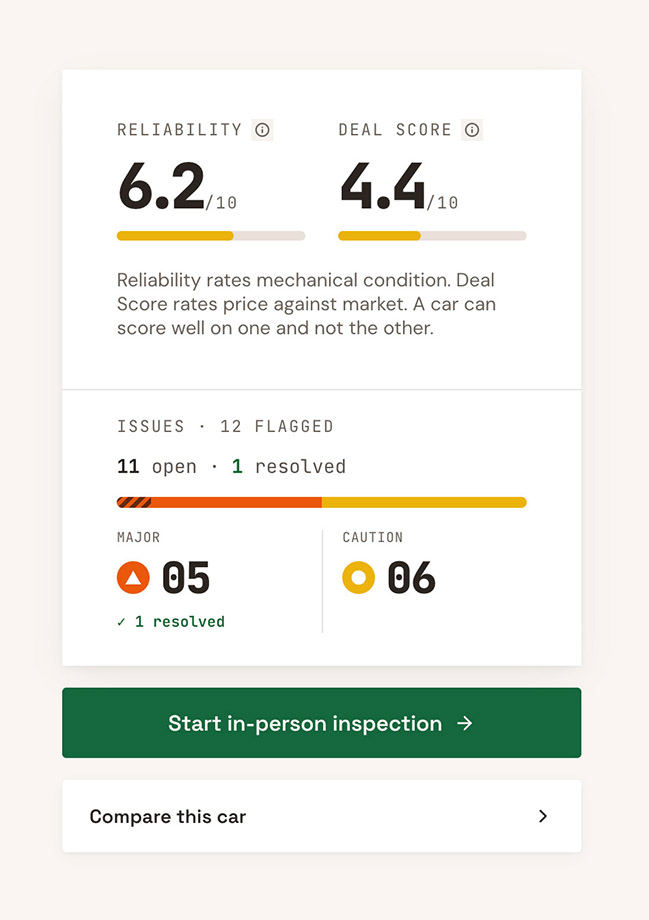
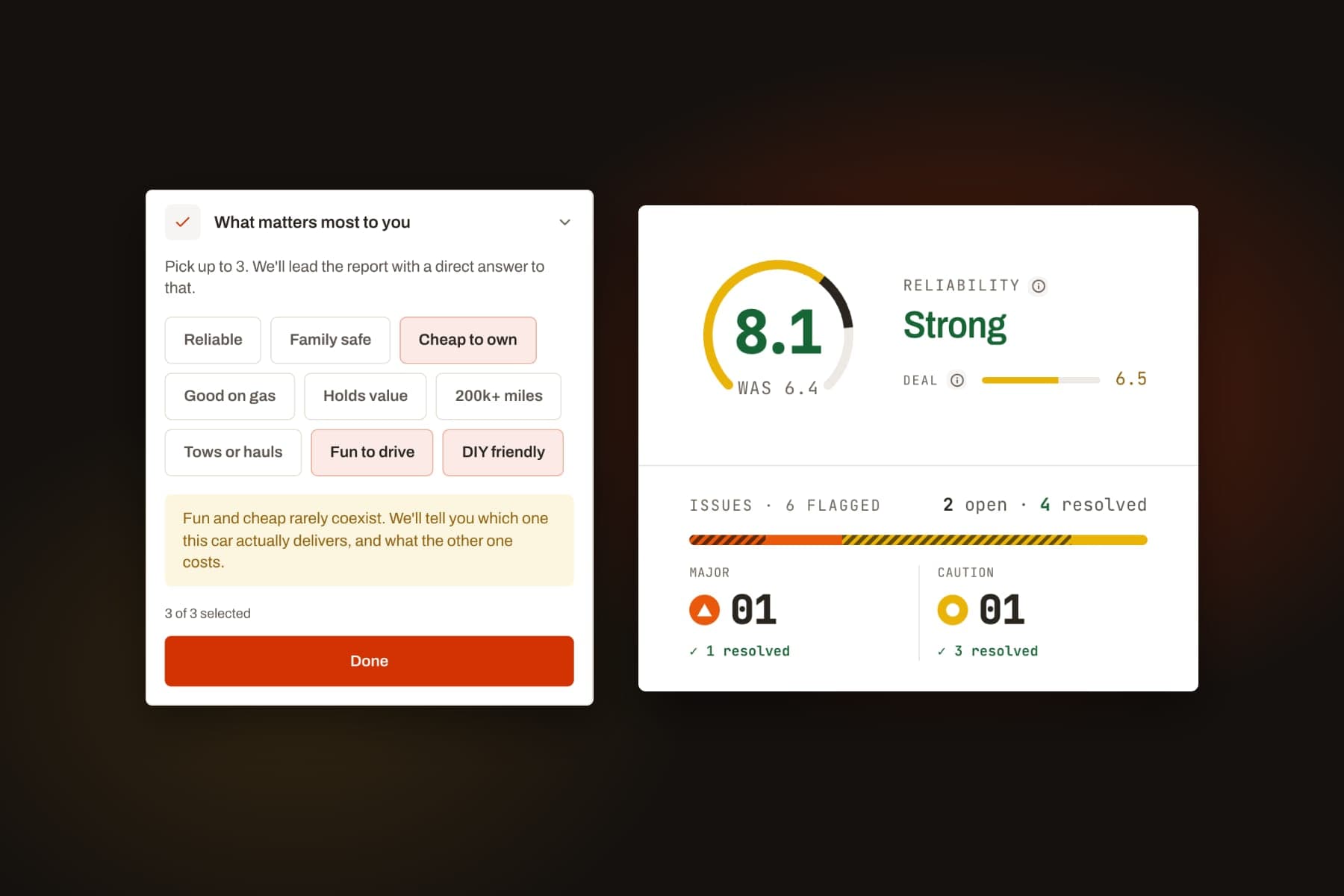
The reliability score now adjusts for the car's age. Research on an older or higher-mileage car naturally turns up more known issues than research on a car three years old, simply because there's more history to research, so the score weighs that history the way a person would. Wear-related issues, the kind you'd expect on any car with enough miles on it, count less as the car gets older. Anything marked critical still counts in full regardless of the car's age, because a critical issue is a critical issue no matter what's on the odometer. The result is a score that reflects how risky the car actually is, not just how many miles are on it.
Vehicle identification checks are more precise too. A "Vehicle Identification Mismatch" flag only appears when we have a real, verified signal to check against, like a VIN decode. That keeps the flag meaningful: if you see it, it's pointing at something worth asking the seller about.
If you've already run a report, you don't need to regenerate it. The score recalculates every time you open a guide, so this applies automatically to reports you ran weeks ago.
A guided, one-at-a-time checklist for when you're standing next to the car
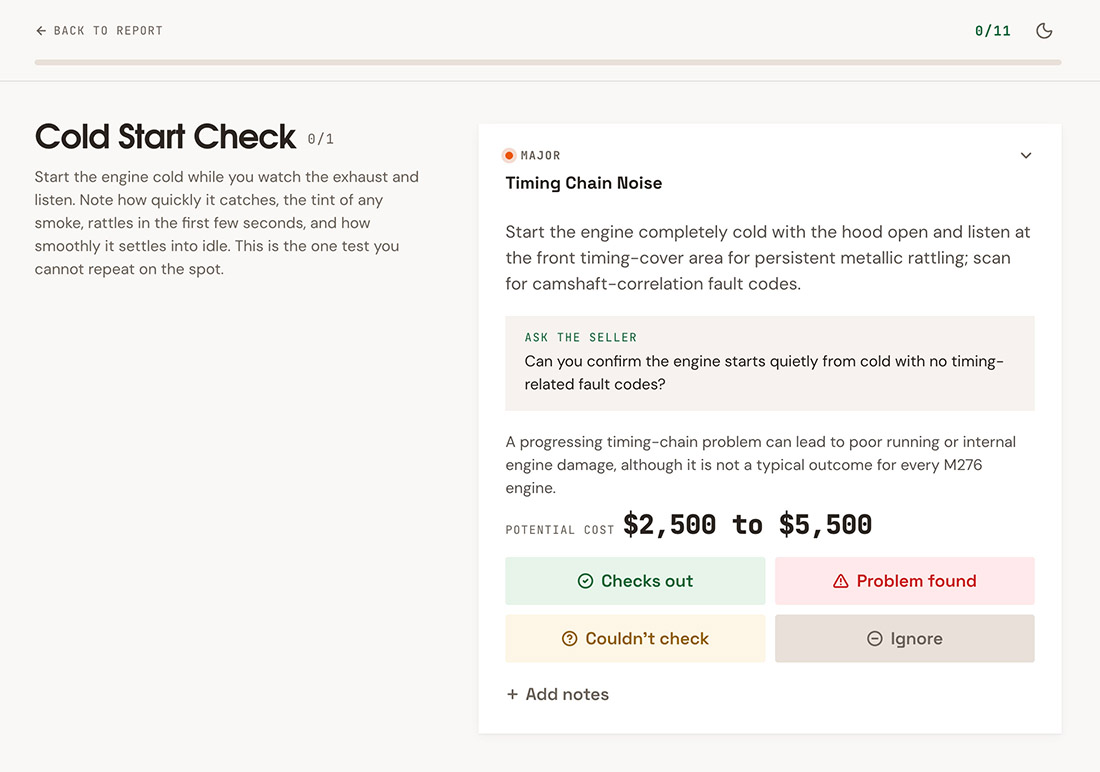
The in-person checklist is now a dedicated tool of its own: one item at a time, starting with whatever's most critical on your specific car, so you're not scrolling a full report on your phone while a seller waits.
It has its own link, so you can text it to yourself or start it from your dashboard without hunting through the report first. Start it on your phone in the driveway, and if you switch to a tablet or come back to it later, it picks up where you left off. Answer it as you go, and the report reflects what you found: an issue you confirmed is fixed shows up differently than one you couldn't check. The seller questions tied to what you're looking at are right there too, ready to copy into a text.
Paste a VIN, skip the manual entry
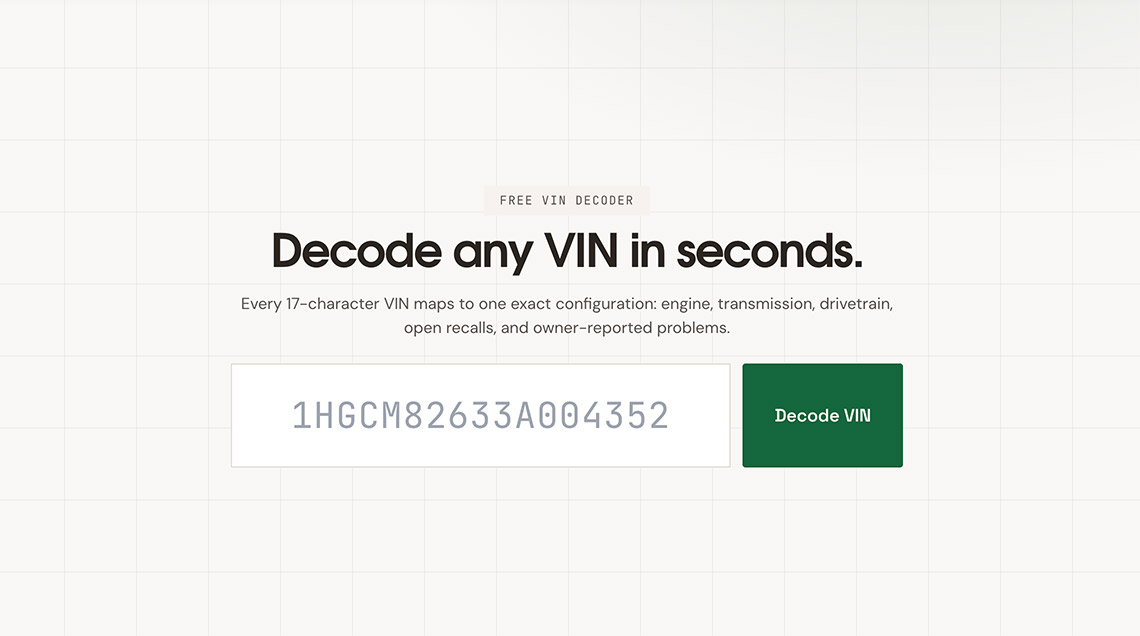
Setting up a guide used to mean picking year, make, model, trim, and engine by hand, one dropdown at a time. Now, if you have the VIN, paste it in and it fills in what it can decode directly. You still confirm the details before we run the research, since a VIN can match more than one close trim and getting that right changes what the guide looks for. But for most cars, VIN entry turns four or five dropdown menus into one paste and a confirmation.
There's also a free VIN lookup tool on its own, separate from a full guide, if you just want to decode a VIN and see the basics.
Coming soon: photo inspection for premium reports
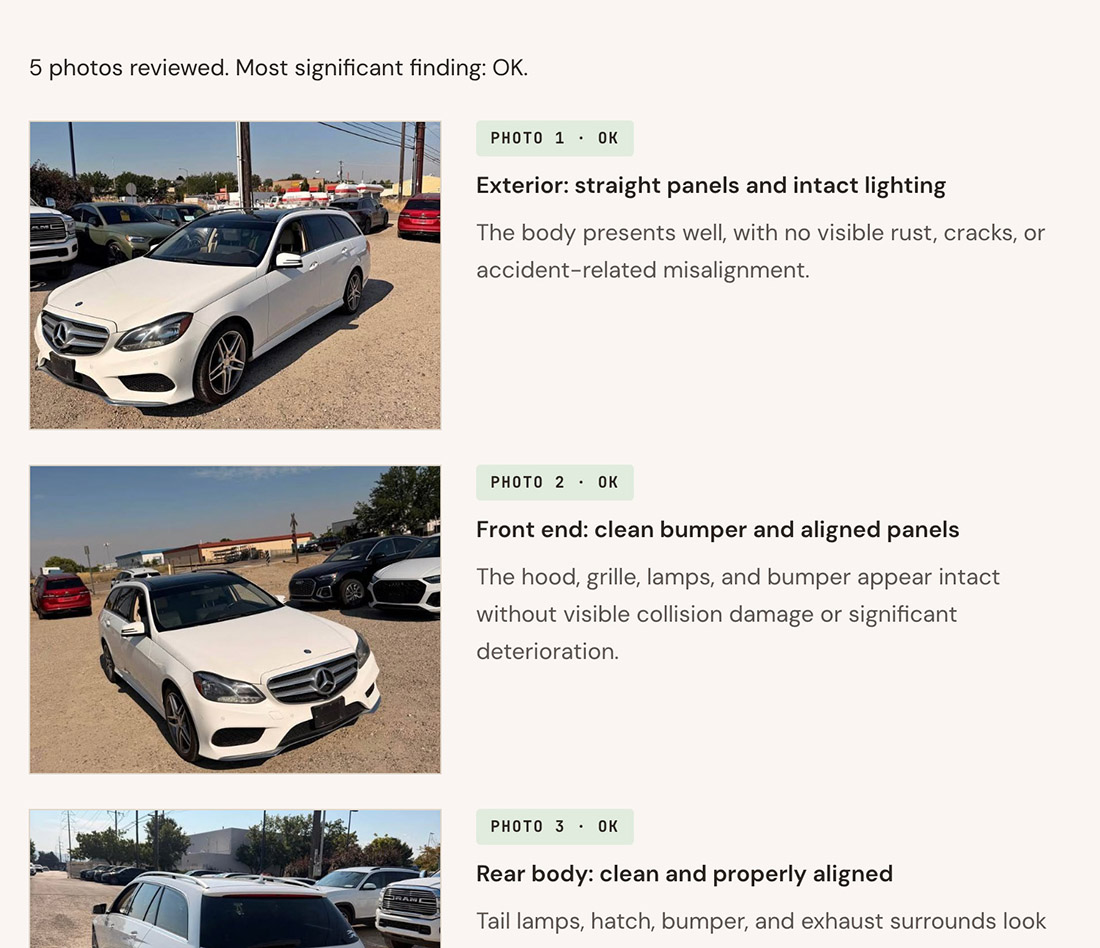
We're testing a feature that lets you upload photos of the actual car, up to ten of them, and has a research model look at them alongside the listing. It checks things like tire wear, visible rust, panel gaps, and interior condition, and feeds what it sees into the same findings your report already generates, so a worn tire or a mismatched panel shows up as a finding next to everything else.
It's still being tested and isn't available on your account yet. When it launches, it'll be part of premium reports. The screenshot above is a preview of what the Photos tab will look like once it's live.
The short version
The report is organized into tabs now instead of one long scroll. Every guide runs on our strongest research model, and finishes faster than it used to. The reliability score adjusts fairly for a car's age, and identification flags only fire on a real, verified signal. The in-person checklist is a dedicated, one-item-at-a-time tool, synced across whatever device you're holding. VIN entry can fill in most of a guide for you. And photo inspection is next, coming to premium reports soon.
Pull a Buyer Guide on the car you're looking at and see it for yourself. Most finish in well under a minute.
FAQ
Do I need to regenerate an old report to get the new reliability score?
No. The score is calculated every time you open a report, so the update applies automatically to guides you already ran, not just new ones.
What happened to the old Inspection Mode?
It's been replaced by a dedicated in-person checklist. You'll find it linked from the Inspection tab on your report and from your dashboard.
When does photo inspection launch?
It's still being tested, so there's no firm date yet. It'll roll out as part of premium reports when it's ready.
Does pasting a VIN skip picking my trim?
No, you still confirm trim and a few other details before we run the research. A VIN can match more than one close trim, and getting that right changes what the guide looks for.